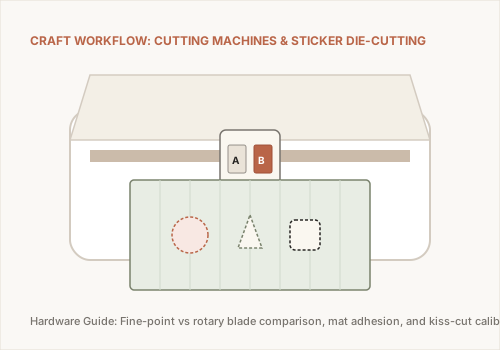
Electronic cutting machines have revolutionized the home studio, bridging digital illustration with physical crafting. By translating vector outlines (SVGs) into precision blade cuts, machines like the Cricut Maker and Cricut Explore Air 2 allow artists to produce custom die-cut vinyl stickers, intricate paper cutouts, iron-on textile transfers, and leather goods.
Grea Foundation is an independent informational art and craft resource. We are not owned by, affiliated with, sponsored by, or endorsed by Cricut, Inc. Product names, specifications, and model details are evaluated objectively from public manufacturer documentation for educational purposes.
Machine Lineup Comparison: Cricut Maker vs. Cricut Explore Air 2
| Feature / Capability | Cricut Explore Air 2 | Cricut Maker Series |
|---|---|---|
| Primary Target | Cardstock, Vinyl, Iron-On (HTV) | Heavy Fabrics, Leather, Balsa Wood, Chipboard |
| Cutting Force | Approx. 400 grams of downforce | Up to 4,000 grams (10x cutting pressure) |
| Drive Mechanism | Dual carriage with drag blade | Adaptive Tool System with gear drive steering |
| Rotary & Knife Blades | Not supported | Fully supported for unbonded fabrics & wood |
Understanding Blades and Cutting Mats
Successful craft cutting depends on matching the right blade to your material:
- Premium Fine-Point Blade (German Carbide): The default blade for paper, vinyl, cardstock, and printable sticker sheets. Cuts with standard drag motion.
- Rotary Blade: Features a tiny rolling circular wheel that glides through unbonded cotton, silk, and denim without snagging or requiring backing stabilizer.
- Knife Blade: Resembles an X-Acto blade with deep clearance, engineered for multi-pass cutting through basswood, tooling leather, and heavy matboard.
Explore Step-by-Step Craft Workflows
Learn how to produce professional waterproof die-cut stickers in our dedicated guide: How to Make Custom Stickers with Cutting Machines, or source tools at verified craft retailers in our Art Supply Stores Locator Guide.