Custom stickers are one of the most popular and rewarding projects for illustrators and crafters. With a home inkjet printer, a cutting machine, and printable vinyl, you can produce professional-grade die-cut and kiss-cut stickers with vibrant colors and weather resistance.
The Print-Then-Cut Workflow in 4 Easy Steps
Prepare Your Artwork with a Clean Bleed Offset
Export your artwork as a transparent PNG at 300 DPI. In your cutting software, create a white offset border (typically 0.125 inches) around your illustration.
This white outline prevents slight machine cutting shifts from cutting into your actual artwork design.
Print on Quality Printable Vinyl
Load printable vinyl into your inkjet printer. Ensure the print software prints the black registration box (sensor marks) around your stickers.
Set your printer settings to "Photo Matte Paper" and "High Quality" to achieve rich pigment saturation without ink pooling.
Apply a Clear Protective Laminate Layer
To make your stickers water-resistant and UV-stable, smooth a sheet of self-adhesive clear vinyl or cold laminate film over the printed sheet.
Use a felt squeegee to eliminate air bubbles, taking care not to cover the printed black registration marks.
Load onto Mat and Execute Kiss Cut / Die Cut
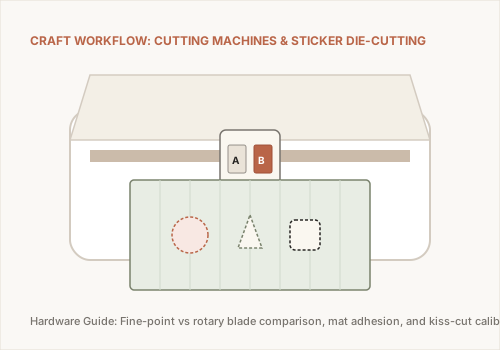
Place your laminated sheet onto a LightGrip cutting mat. The optical sensor will scan the registration marks to align the blade perfectly with your artwork offsets.
Choose "Kiss Cut" if you want stickers that peel from a backing sheet, or "Die Cut" (cutting through both vinyl and paper backing) for individual loose stickers.
Supply Sourcing & Next Steps
Need printable vinyl or adhesive laminates? Learn where to buy them locally in our Art & Craft Store Sourcing Guide.